Online Mission Logo

Online Mission – for non-governmental organizations

There are many modern technology solutions available on the market dedicated to the third sector. Below, we have compiled a list of the best systems and described what you can gain from them. Most of them are completely free of charge, and in some cases, very high, attractive discounts are available.

We help with the paperwork: Application processes can be complicated – many applications are only available in English, and companies may ask for additional verification documents. We want to help you with this! We will support you free of charge at every stage: from correct application submission, through its activation, to implementation.
📥
📧
Register your organization [email protected]

To receive support, send us a message including: organization details, a short profile of its activities, and a list of tools you are interested in.

What can we
configure and help you get?

The Google for Nonprofits program provides verified organizations with free access to basic Google Workspace (equivalent to the paid Starter edition), and an 80% discount on higher plans.

Plan Comparison

Feature Workspace for Nonprofits (Free) Business Standard for NGOs (~80% discount) Business Plus / Enterprise for NGOs
Cost $0 / user / mo. ~$3 / user / mo. ~$5–10 / user / mo.
Storage (Pooled) 30 GB / user 2 TB / user 5 TB / user up to unlimited
Google Meet up to 100 participants up to 150 participants + recording up to 500–1000 + recording + live streaming
Shared Drives full access full access full access + sensitivity labels
eSignature basic built into Docs & PDF built into Docs & PDF
Appointment Schedules none built into Calendar built into Calendar
Google Vault (Retention) paid add-on paid add-on built-in (eDiscovery, audit)
Data Loss Prevention (DLP) none none built-in (AI scanning)

What's included in the package — regardless of the selected plan

💬

Communication & Work Organization

  • Gmail — custom domain email, unlimited aliases, group discussions, AI-based phishing protection
  • Calendar — shared team calendars, room and equipment booking, self-service appointment pages for donors
  • Meet — encrypted video calls, noise cancellation, automated transcripts, and live captions
  • Chat — project channels, integrations with Asana, Jira, Trello
📄

Office & Real-time Collaboration

  • Docs, Sheets, Slides — real-time co-authoring, unlimited version history
  • Vids — AI-assisted video creation for presentations and volunteer training
  • Forms — applications, volunteer recruitment, surveys with export to Sheets
  • Sites — easy website builder for intranets or project microsites
🤖

Automation, Development & AI

  • AppSheet — no-code custom app builder (e.g., donation tracking, volunteer logistics) based on Sheets
  • Apps Script — automation of repetitive tasks (e.g., thank-you email sent after form submission)
  • Gemini in Workspace — email summaries, grant proposal drafting, data analysis
  • Gemini Notebook — upload bylaws and reports, and AI generates summaries and outlines from them

IT Administration & Security

The heart of Workspace for organizations is the Admin Console — one person on the team can monitor and manage all accounts from a single dashboard, extending far beyond basic email management.

Single Sign-On (SSO) for external tools like Slack, Canva, or WordPress
Organizational Units (OUs) — separate permissions for Board members, specific projects, or volunteers
Enforced 2-Step Verification (2SV) for all or selected groups, including U2F/FIDO2 security keys
Audit Logs — track who logged in, when, from where, and which files were downloaded
Remote Device Management — lock or wipe data from lost phones or laptops
Shared Drives — files belong to the organization and won't disappear if someone leaves the team
Google Vault — archive and recover emails/files even after a user deletes them
Data Loss Prevention (DLP) — automatically block sharing files containing sensitive data like ID numbers or beneficiary info

Beyond Workspace — Other Program Pillars

📢

Google Ad Grants

Up to $10,000 USD monthly in in-kind Google Ads advertising — boost your website to the top of search results.

🎬

YouTube Nonprofit Program

A "Donate" button under videos and live streams, verified organization badge, and fundraising cards linked in videos.

🗺️

Google Earth & Maps

Google Maps Platform API credits — display interactive maps of your initiatives, project locations, or support networks on your website.

✅

Organization Verification

A single verification process unlocks access to all four program pillars at once.

How to Activate Step by Step

1

Check if your organization meets the Google for Nonprofits eligibility criteria at https://google.com/nonprofits

2

Submit an application for a Google for Nonprofits account on the program website.

3

Once verified, you will receive a confirmation email — usually within a few days.

4

Activate the individual products your organization actually needs (Workspace, Ad Grants, YouTube).

Microsoft 365 Business Basic for non-profit organizations is a comprehensive suite of cloud tools provided as a free grant (for up to 300 users).

☁️

1 TB Cloud Storage

Generous and secure OneDrive cloud space for every team member, making document management easier.

📧

Custom Domain

Custom email addresses (e.g., [email protected]) that help build a professional image with partners and donors.

💻

Access From Anywhere

Online versions of Word, Excel, and PowerPoint. Work efficiently on any device.

📞

Microsoft Teams

Central collaboration tool: secure messaging, video calls, and integrated project management.

Key Plan Features

Free usage for up to 300 users
Professional custom domain email
Work management apps (Planner, Forms, Bookings)
Built-in protection against web threats (malware)
Analytics tools and AI support
Configuration support from Fabian Digital

Canva

Canva for Nonprofits supports achieving your daily statutory goals. You gain access to Premium features at no license fee.

Project Team Management

You get access to a dedicated admin console that allows for convenient coordination of design work and graphic assets.

As part of the program, you can add up to 50 users to your team, including staff and volunteers. Each user gains full access to Canva Pro tools and assets.
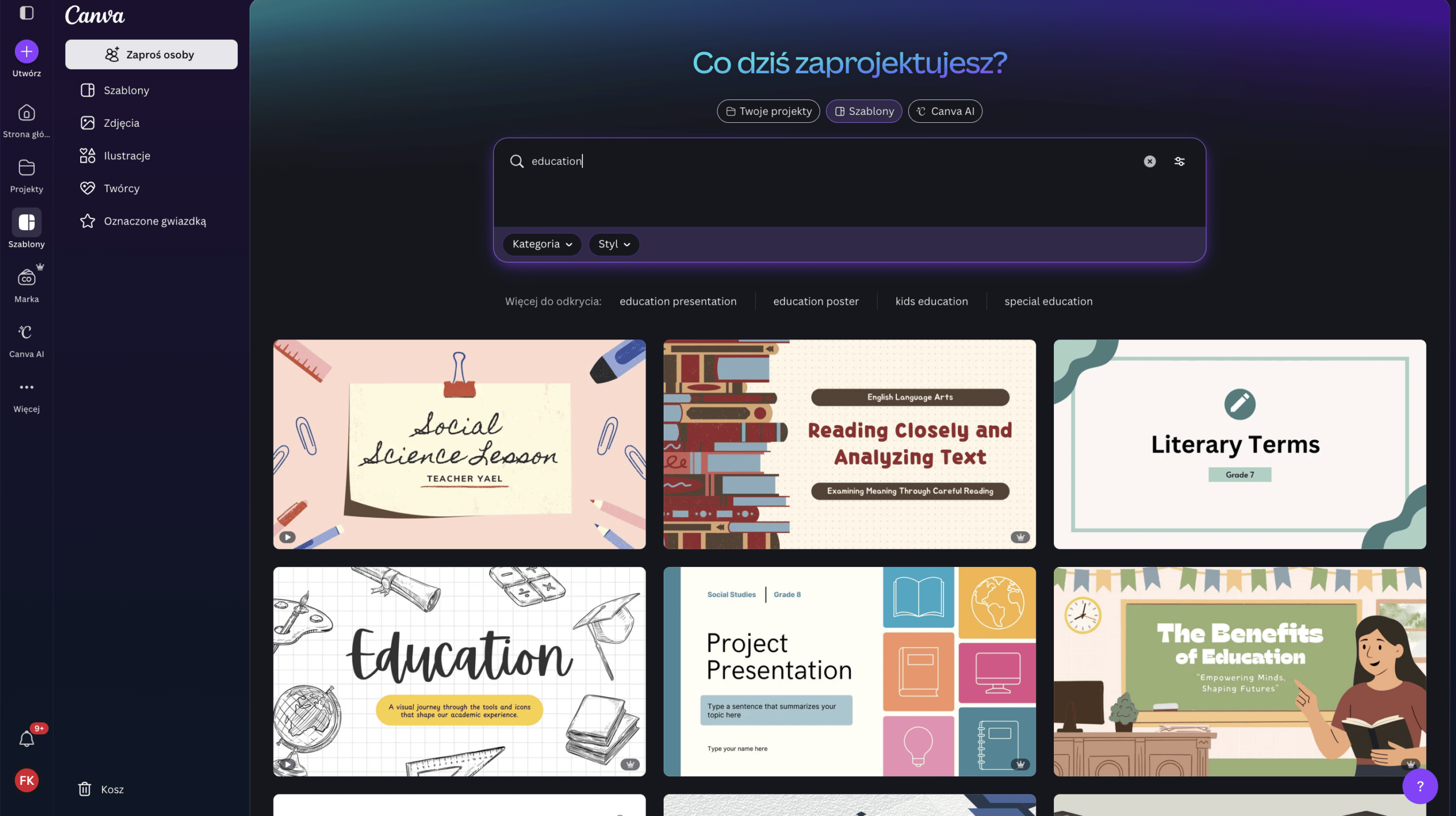
Canva Dashboard for Organizations

What Does Your Organization Gain?

🎨

Full Suite of Pro Features

Unlimited access to a library of premium photos, templates, and graphics, with the ability to download files in any format.

📢

Campaigns & Fundraising

Create beautiful and clear promotional materials for donations, fundraising, and awareness campaigns.

📱

Online Communication

Consistent social media templates and polished visual elements for your website.

🖨️

Print Materials

Easily prepare high-resolution designs for print, such as flyers, brochures, posters, and merchandise.
Cloudflare Logo
Cloudflare is currently a global leader in protecting websites, web applications, and entire online infrastructures — a huge part of the internet relies on its services, from small personal sites to major corporations. Through Project Galileo, it provides organizations like yours with its Business plan — normally worth around $250 per month — completely free of charge.
What is Project Galileo?
Protection for voices someone wants to silence
Project Galileo has been operating since 2014 as Cloudflare's response to cyberattacks targeting organizations that do socially important work but lack the budget for professional security — humanitarian organizations, journalists, human rights defenders, and minority representatives.
Today, the program protects over 2,900 at-risk websites and applications worldwide. Cloudflare intentionally does not disclose who exactly is in the program — without the organization's consent — specifically to avoid exposing them to further attacks.
Organizations usually join the program via a referral from one of Cloudflare's trusted partner organizations (e.g., Access Now or the Electronic Frontier Foundation). You can also apply directly by filling out a form and describing your mission and why your website is at risk of attacks.
Do you already have a website or application? If you are already active online and feel you need better security — we'd be happy to help you go through the application for Project Galileo and configure the entire protection step by step.
What exactly does Cloudflare protect you from?

Cloudflare stands like a shield between your website (or your custom web application, system, or other infrastructure) and the rest of the internet — all traffic passes through it first before reaching your server. This allows it to filter out what is dangerous before it can cause any harm.

🛡️ DDoS Protection Someone attempts to flood your website with artificial traffic to overload and take it down. Cloudflare intercepts and stops this attack before it reaches your server — your website keeps running normally.
🤖 Bot Protection Automated bots trying to guess passwords, create fake accounts, or flood contact forms with spam are recognized and blocked before they even reach your website.
🕷️ Scanner Protection Unwanted web crawlers scraping and copying your content can be blocked while allowing legitimate ones — like Googlebot — to keep indexing your site properly.
📜 Custom Security Rules (WAF) Set your own rules, such as "block traffic from a specific country" or "stop requests with suspicious content." It's like a guard at the gate checking everyone who wants to enter.
⏱️ Rate Limiting Limits how many times the same user can perform a specific action within a short timeframe — e.g., login attempts. This effectively thwarts brute-force password guessing.
🌐 CDN — Content Delivery Network A copy of your website is stored on Cloudflare servers distributed around the world, so it loads quickly regardless of which country someone accesses it from.
💾 Caching Static website elements (images, stylesheets) are stored closer to the visitor. The website doesn't need to be generated from scratch on every visit.
⚡ Performance Acceleration Additional compression and optimization make the website load significantly faster — which matters for both visitors and your Google search ranking.
🔐 Zero Trust Secure access to internal team and volunteer tools without a traditional VPN — Cloudflare verifies identity upon every login, even from a personal laptop.
How to Apply for the Program

You can complete the entire process on your own — detailed steps are provided below. However, we strongly encourage you to do it together with us: write to us, and we will help you connect your domain to Cloudflare and walk through the entire Project Galileo application step by step.

1

Connect your domain to a free Cloudflare plan — this is a prerequisite before submitting an application to Galileo.

2

Once your domain is active on Cloudflare, submit an application to join Project Galileo on the program's official website.

3

Upon approval, Cloudflare activates the full protection of the Business plan on your domain — free of charge and indefinitely.
Salesforce Nonprofit Cloud is a world-class CRM system. Thanks to the "Power of Us" program, your organization can receive a grant worth $1,650 per month.

📈

10 Free Licenses

You receive 10 full Enterprise Edition subscriptions completely free of charge, forever for your organization.

🏢

Enterprise Edition

Access to the most advanced version of the system used by the world's largest companies and foundations.

🌐

Language Configuration

We help configure the interface language so operating the tool is easier for your team.

🤝

Application Support

We will guide you through the process of applying for the license grant so you can focus on your mission.

Salesforce is a fantastic, yet highly complex tool. Our role is to open the door to these possibilities. Due to the complexity of the system, we do not offer full implementation (building custom objects and workflows).

  • We submit the application for free Nonprofit Cloud licenses
  • We activate the instance and configure language settings
  • We recommend the best guides and learning paths
  • We hand you the "keys" to a system you can customize for your needs
☁️

GetResponse

GetResponse is an email marketing tool — for sending newsletters, automated messaging, and sign-up pages. Non-governmental organizations can get a 50% discount for 24 months under the NGO program.

📧

Newsletter Delivery

Manage a contact database of up to 100,000 subscribers and send messages to donors or organization members.

🤖

AI Content Creation

AI support for writing email content and building simple landing pages without needing coding skills.

⚙️

Email Automation

Automated thank-you emails after a donation or newsletter signup, without manually sending each message.

🎓

GetResponse University

Free access to email marketing courses — useful if someone on the team is doing this for the first time.

How to Claim the Discount?

The program is available to most non-governmental organizations in Poland (does not include political organizations).

  • Create an account at getresponse.com — preferably using an official email address in your organization's domain.
  • Send an email to [email protected] requesting the discount, in Polish and English (you can comfortably use AI for translation). Include the email address associated with the account and attach documents confirming your non-profit status (e.g., official registry excerpt).
  • The discount requires placing the GetResponse logo on your website — this is a program requirement, not an optional extra.
  • Once approved, the discount is valid for 24 months from account activation.

Brevo

Brevo is our recommended alternative to GetResponse — we use it ourselves. It is not an NGO discount program, but a solid, standalone email delivery tool with a free plan.

The only thing to consider: the entire interface is available exclusively in English.

✉️

300 Emails per Day for Free

The free plan lets you send up to 300 messages per day, with no limit on the number of contacts in your database.

⚙️

Email Automation

You can set up scenarios that automatically respond to recipient behavior — e.g., on your website.

🔌

Integration via SMTP & API

A great solution if you have someone technical on your team — easily connect email notifications to your website.

📊

Delivery Statistics

Track who opened the email and who clicked a link — useful for measuring the effectiveness of donation appeals.

Autenti

Forget about printing, scanning, and mailing documents. Autenti is a Polish e-signature platform that gives your documents legal validity in seconds.

Thanks to cooperation with TechSoup, organizations can get 2 PRO Plan accounts for 12 months for 1 PLN net, instead of the standard price of 1,656 PLN net — plus a one-time administrative fee to TechSoup of 41.40 PLN net.

📧

Email E-Signature

Send contracts and agreements for signature with a single click. The other party signs the document on any device, at no cost to them.

⚖️

Legal Validity

Documents signed via Autenti are based on national and EU regulations — the signed content can no longer be modified.

🔑

Qualified Signature

The platform also supports qualified electronic signatures for the most crucial documents.

Additional paid option, outside the PRO Plan
📂

Digital Archive

All signed documents are securely stored in one place with 24/7 online access.

How to Activate the Discount Step-by-Step

The discount is activated through TechSoup, but the account itself is created directly with Autenti. We'll happily guide you through the entire process — here is how it works:

Stage 1 — Verification with TechSoup

  • Create an account and complete organization verification on techsoup.pl — without this step, no discount can be ordered.
  • After successful verification, enter the TechSoup product catalog and find the Autenti partner offer.
  • Select the PRO Plan discount offer and add it to your cart.
  • Pay the administrative fee (41.40 PLN net) via bank transfer and wait for order approval by TechSoup.

Stage 2 — Account Activation with Autenti

  • Create a free account at account.autenti.com/register.
  • Add a second user to the organization by sending them an invite from the account dashboard.
  • Send an email to [email protected] with the TechSoup order number and the email addresses of both users covered by the discount.
  • Within 24 business hours, Autenti will activate your PRO Plan accounts.

Important: for the discount to remain active in subsequent years, you need to go through the TechSoup ordering process again — it does not renew automatically.

The administrative fee paid to TechSoup is non-refundable, and the product cannot be exchanged for another.

Fakturownia

Fakturownia is a popular, easy-to-use online invoicing system. It is particularly useful for small organizations that maintain simplified revenue and expense records (UEPiK) and do not use a complex accounting system — the PRO Plan provides convenient, advanced features for issuing and managing invoices.

🧾

Online Invoicing

Quickly create and send invoices without installing anything — everything works directly in your browser.

📋

Payment Tracking

See in real-time which invoices have been paid and which are still pending — useful when accounting for paid workshops or training sessions.

📁

Document Organization

All issued invoices in one place, ready for review during accounting or potential audits.

What Exactly Does the Discount Cover?

Fakturownia offers non-governmental organizations a 90% discount — specifically for invoices issued as part of paid public benefit activities (e.g., paid workshops, training sessions, or other services provided by the organization).

It's important to remember: this is not a commercial business activity. Revenue from these invoices must be used entirely to cover the costs of the task being carried out — the organization cannot generate a profit from it.

How to Apply for the Discount

Applications are submitted directly through Fakturownia. The easiest way is via the form on their website — it is simpler than sending an email.

  • Create an account on Fakturownia if you don't have one yet.
  • Go to fakturownia.pl/fakturownia-dla-ngo and fill out the application form there — this is the recommended method. Alternatively, you can send an email to [email protected] with the same details as in the form.
  • Provide: full name, email address associated with the account, organization name, and KRS number.
  • Attach documents confirming your organization's status — e.g., an official registry excerpt (KRS).
Requirement to maintain the discount: after the discount is granted, you must add the Fakturownia logo to your organization's website and publish a social media post about the cooperation.

Slack

Slack is a channel-based team communication platform — messages, files, and integrations with other tools all in one organized place. The Slack for Nonprofits program gives non-governmental organizations free or heavily discounted access to paid plans.

💬

Topic-based Channels

Conversations organized by project, team, or topic, instead of a single, chaotic shared inbox.

🔌

Integrations with Other Tools

Connect calendars, cloud drives, or other apps you already use directly to Slack.

🔍

History & Search

Full conversation and file history that is easy to search — nothing gets lost in a sea of old messages.

What Exactly Does the Discount Include?

For teams of up to 250 people, an organization can get the Pro plan completely free of charge. For larger teams, an 85% discount on the Pro plan is applied. The Business+ plan is discounted by 85% regardless of team size.

The requirement is having verified public benefit or non-profit status. Strictly political organizations or those whose primary purpose is advocating a specific religious belief are not eligible for the program.

How to Apply for the Discount

Stage 1 — Verification with TechSoup

  • Create an account and complete organization verification at techsoup.pl.
  • Upon successful verification, you receive a code (validation token) confirming your organization's status — you will need it in the next step.

Stage 2 — Application on Slack

  • If you aren't using Slack yet, create a workspace — if you already use it, the application must be submitted by the owner of the existing workspace.
  • Go to the Slack for Nonprofits page and follow the application form instructions, entering the code received from TechSoup.
  • Once approved, the discount is activated on your workspace account.

As part of the global NordVPN Nonprofits program, non-governmental organizations can receive free or heavily discounted access to a security suite, including the Complete package — our recommended solution combining VPN, a password manager, and encrypted cloud storage.

12,600+ donated VPN licenses
900+ supported organizations and creators
1,800+ fulfilled Emergency VPN requests

What Does the Complete Package Include?

💻

VPN for 10 Devices

Secure, encrypted connection without profiling. One account protects up to 10 devices simultaneously (phones, laptops, tablets).

☁️

1 TB Cloud & Password Manager

Access to a password manager and 1 TB of fully encrypted cloud storage for your organization's key documents.

🛡️

Antivirus Protection

Traffic scanning, malicious file blocking, and Dark Web monitoring for organization data leaks.

🌐

Dedicated IP Address (Optional)

The package does not include a free dedicated IP. If you connect to a specific server, a dedicated IP can be purchased in the account settings.

How to Apply for Access

First, review the full offer at nordvpn.org/nonprofit and choose the package that best fits your needs — we recommend NordVPN Complete.

  • Send an email in English to [email protected], introducing yourself as a non-profit organization.
  • Provide your organization's registration numbers (e.g., official registration ID / tax ID) and full name, ideally with a link to an official public registry or attached proof of non-profit status.
  • Briefly describe what your organization does and how many accounts/licenses you need — multiple people from the same organization can apply separately for their own code.
  • Once you receive the code, go to nordvpn.com, click "Create Account", and enter the code during registration.

Good to remember: the code is usually valid for one year (depending on what NordVPN grants in response). Set a calendar reminder one month before the subscription expires so you can email [email protected] again to request an extension.

As part of the Secure it Forward program, Yubico donates up to 5% of YubiKey sales made on Yubico.com to non-profit organizations defending human rights, freedom of speech, and democracy, as well as programs supporting diversity in the technology sector.

🔑

YubiKey 5C NFC

A modern USB-C connector matching new laptops and phones, plus a wireless NFC module — simply tap the key against the back of your smartphone to confirm identity.

🛑

Phishing Protection

The hardware key effectively blocks Man-in-the-Middle attacks and account takeovers — no SMS codes to type, no additional apps needed.

📲

Security on Every Device

YubiKey is available in several connector variants tailored to different devices and works with hundreds of services — from Google to Dropbox.

🌍

Global Trust

Keys are manufactured exclusively in the US and Sweden, guaranteeing a secure supply chain. Used by millions of users worldwide.

Get YubiKeys for Your Organization

How to Submit an Application

Applications are submitted via the form on the Secure it Forward website. Prepare in advance: contact details, organization name and website, proof of status equivalent to US 501(c)(3), a brief explanation of why the program fits your mission, and the number of keys needed.

  • Yubico reviews applications manually on an ongoing basis — a response (approval, denial, or request for more info) can usually be expected within 5–7 business days.
  • The requested number of keys is just a preference — it does not affect eligibility, and the actual quantity granted depends on availability and program priorities.
  • If you have trouble filling out the application or questions along the way — write to us, we'll gladly help.
Go to Secure it Forward Form →

Good to Know Before Applying

Who is not eligible: religious organizations, political parties and candidates in elections, entities with discriminatory policies, and groups advocating violence or hate speech.

Shipping: may take 6–8 weeks depending on the destination country, and international shipments may be subject to customs fees. Yubico currently does not ship keys to countries such as Russia, Ukraine, Iran, and several other restricted nations.

Zoom

Zoom grants non-governmental organizations a 50% discount on selected paid plans billed annually. This represents real savings for NGOs relying on online meetings and webinars daily.

Apply for Discount →
👥

Zoom Workplace Pro

approx. 33.33 PLN 66.66 PLN / mo. / user

For teams of 1–9 users. Entry-level paid plan with all Zoom meeting features at half price.

🏢

Zoom Workplace Business

approx. 43.08 PLN 86.16 PLN / mo. / user

For larger organizations, 10–250 users. Advanced account management and team administration features.

📈

Large Meetings

from approx. 117.50 PLN 235 PLN / mo. / user

Increase single-meeting participant capacity up to 1,000 people — ideal for larger online events.

🎥

Zoom Webinars

Custom Pricing

Live broadcasts and online events for up to 5,000 attendees — perfect for campaigns, conferences, and open training sessions.

How to Get the Discount for Your Organization

Who is Eligible

  • Organization holds non-profit / NGO legal status.
  • Organization's annual operating budget is $10 million USD or less.

How to Apply for the Discount

  • Go to the Zoom for Nonprofits section on the Zoom website.
  • Select the operating budget option: "$10 million or less".
  • Click the application button (Apply for Zoom's nonprofit discount).
  • Complete the non-profit organization status verification form.
  • Upon eligibility approval, a 50% discount will be applied to your annual subscription purchase.
Go to Zoom for Nonprofits →

Adobe

Adobe for Nonprofits gives non-governmental organizations access to document and content creation tools — from electronic signatures to graphics and video — for free or at a significantly lower price. Each of the three products has its own offer and separate application process.

📄

Adobe Acrobat Pro

Annual subscription at a heavily discounted price

Create, edit, and share PDFs — informational materials, contracts, invoices, or annual reports. Fast electronic signatures on documents and web forms for sign-ups.

🎨

Adobe Express

Premium plan completely free of charge

Create social media graphics, videos, flyers, and presentations for fundraising campaigns and donor communications — in your browser and on mobile, no graphic design experience required.

🎬

Adobe Creative Cloud

Annual membership at a discounted price

Acrobat and Express plus the full suite of creative apps — Photoshop, Illustrator, and Premiere — for professional graphics, photos, and video.

How It Works

1

Check Eligibility

Answer a few questions about your organization in the form on the program website.

2

Get Verified

You will receive a verification email — confirmation usually takes 1–3 business days.

3

Start Using

Once approved, log in and immediately start working in your selected application.

How to Apply for the Discount

To apply and receive a discount for a specific product, visit adobe.com/nonprofits.html, scroll to the plan you are interested in (Acrobat Pro, Express, or Creative Cloud), and click the "Apply now" button next to it.

Limits and Important Rules

  • Up to 50 Adobe Express Premium licenses.
  • Up to 10 Adobe Acrobat Pro licenses.
  • Unlimited Creative Cloud licenses at a discounted price — access to this offer is administered by TechSoup.

Each product requires a separate application and separate verification — approval for one does not automatically grant access to the others.

The offer is strictly available to staff and regular contractors of the organization — not beneficiaries, general members, or donors.

Licenses are assigned to named individuals, not shared teams. The Acrobat Pro discount must be renewed annually by re-applying.

1Password

1Password is a password manager — securely store and autofill passwords, passkeys, as well as files, notes, and contact details, synchronized across all your devices. Non-governmental organizations can count on individually tailored support — a one-time credit, discounted accounts, or a similar form of assistance, depending on the organization's situation.

🔐

Passwords & One-Click Sign-In

All passwords and passkeys in one encrypted place — log in to websites and apps with a single click, without manually typing anything.

👁️

Watchtower

Alerts you if your data appears in a known breach and identifies weak or reused passwords across organization accounts before they become a problem.

✈️

Travel Mode

When crossing borders, sensitive data temporarily disappears from your device and can be safely restored once you reach your destination.

How to Apply for Support

Applying here is simpler than in other programs — there is no complex application form with questions about your organization, just a brief initial contact, after which 1Password will follow up directly with next steps.

  • Go to 1password.com/for-non-profits and create a 1Password account.
  • In the form on that page, provide only your full name and official work email address used for your organization.
  • 1Password contacts you directly to gather details needed to determine what form of support your organization can receive.

Asana

Asana is a work management platform for teams — projects, tasks, deadlines, and workflows all in one place. Non-profit organizations can receive a 50% discount on the Starter or Advanced plan.

How Non-Profits Benefit from Asana

💰

Grant Management

Track applications, deadlines, fund distribution, and reporting within a unified grant lifecycle.

📣

Events & Fundraising

Organize large-scale fundraising events and multi-channel donation campaigns.

🤝

Donor Relations

Structured communication and reporting for donors, board members, and corporate sponsors.

🌐

Partner Network Coordination

Connect distributed offices or branches — standardized workflows and greater operational transparency.

Who is Eligible

Organizations with 501(c)(3) status or its equivalent in another country, as well as public libraries and academic institutions (Asana offers a separate education program for schools and universities).

Hospitals and healthcare facilities are not eligible, nor are organizations that do not pass the non-discrimination verification applied by external auditing entities (similar to TechSoup policies).

How to Apply

  • Go to asana.com/pl/industry/nonprofit, select the number of users (0–19 or 20+), and click "Get 50% discount".
  • You will be redirected to an application form — provide your organization's details, the administrator's name and email, the estimated number of seats you need, and your preferred plan (Starter — $5.50/user/mo., Advanced — $12.50/user/mo., or Enterprise via a separate form).
  • The application is submitted to Asana's partner, Goodstack, which verifies it and responds via email — usually within 2–3 business days. You can also track the status of your application in the Asana admin console.
  • Once approved, when upgrading from the free trial to the Starter or Advanced plan, the 50% discount is automatically applied to your account. For the Enterprise plan, an additional contact with the Asana team is required.
Tested by us: We completed this application form as a test for our own foundation to see step-by-step how it works — after submitting, a confirmation email arrives from Goodstack with further instructions. Simply wait for that message in the inbox provided in the form.

Trello

Trello is a project and task management tool for teams — a system of boards, lists, and cards (kanban style). It is great for running fundraising campaigns, coordinating volunteers, or managing projects. Non-profit organizations can receive a 75% discount, and the tool itself is free to try.

What It Specifically Offers

🗂️

Boards, Lists & Cards

Simple blocks to organize your team's work — with custom fields tailored to your organization's needs.

📅

Multiple Project Views

Switch between timeline view, spreadsheet-like table view, and calendar view.

⏰

Due Dates & Reminders

Set due dates so you never miss a grant application deadline, and assign tasks to specific team members.

🔌

200+ Integrations (Power-Ups)

Connect your favorite apps directly to Trello, with customizable board access permissions.

Ready-to-Use Starter Templates

Non-Profit Project Management

A basic board structure to build your team's workflow for both small and large projects.

Grant Management

Track grants and partnerships from initial opportunity through execution, with custom fields for grant type and size.

How to Apply for the Discount

Trello is owned by Atlassian, and the discount for organizations is administered through the Atlassian Social Impact License program, verified by their partner Goodstack.

  • Start at trello.com/use-cases/nonprofits to learn about the offer for non-profit organizations.
  • Submit your discount application through the Atlassian Social Impact License program — provide your organization's work email and confirm your non-governmental status.
  • The application is sent for verification by Goodstack according to Atlassian's eligibility criteria for social impact organizations.

2do2

2do2 is a web-based financial and project management tool built from the ground up for non-governmental organizations — by people who worked in the third sector themselves. The application is already used by over 1,000 organizations across Poland, including associations, foundations, volunteer fire departments, and rural housewives' clubs.

💰

Financial Control

Full visibility into the financial state of the organization and individual projects, with separate tracking for each funding source.

⏱️

Time Savings

Users estimate that time spent on financial reporting is reduced by an average of 40–46%.

✅

Fewer Errors

Accounting errors drop by up to 80% — the app keeps track of amounts, deadlines, and duplicate documents.

🧾

KSeF & OCR

Built-in integration with KSeF (National e-Invoicing System) and OCR for automatic document entry (100 documents per month included in the license).

Pricing Based on Organization Revenue

Annual Organization Revenue Monthly Price Annual Price
Up to 80k PLN or newly established 0 PLN —
80k–150k PLN 85 PLN 760 PLN
150k–280k PLN 100 PLN 985 PLN
280k–800k PLN 185 PLN 1,800 PLN
Over 800k PLN 350 PLN 3,200 PLN

How to Get Started

  • Fill out the form on their website and create a free test account (7-day trial period).
  • Schedule a free, 45-minute meeting with a consultant who will discuss your organization's needs and demonstrate key features.
  • After the meeting, confirm your account setup and select your billing option according to the pricing table above.
More information is available on the product website: 2do2.org.pl, and on the website of the foundation that created it: fundacja2do2.org/aplikacja-2do2. The license price also includes free team training and a free help desk — it's worth contacting them directly to ask about details tailored to your situation.

Claude

Claude (Anthropic) is an AI model we use in our daily work. Through the Claude for Nonprofits program, non-governmental organizations receive discounted rates on team plans.

Our Recommendation: We strongly recommend Claude for coding and writing documentation or correspondence — in our experience, it makes fewer errors than other popular models, verifies and tests its code in its own environment, and handles complex reasoning exceptionally well.

How Non-Profits Benefit

📝

Grant Proposal Writing

💝

Fundraising

📐

Program Design

🙋

Volunteer Management

📊

Data Visualization

Plans & Pricing

Plan Price Target Audience
Team $8 / user / mo. Organizations purchasing fewer than 20 seats, minimum 2 seats.
Enterprise $10 / user / mo. Larger-scale organizations — pricing upon contacting sales.
Claude Pro (individual) $20 / mo. Organizations with fewer than 5 people — as an alternative to the team plan.

Who is Eligible

Organizations with 501(c)(3) status or its equivalent, primary and secondary schools (K-12), and eligible healthcare organizations.

Government agencies, political campaigns, higher education institutions, and large commercial healthcare systems do not qualify (not to be confused with smaller eligible healthcare non-profits).

How to Get Started

  • Visit claude.com/solutions/nonprofits, where you will find the full offer and application form.
  • Verify your organization's status through their partner Goodstack by filling out a short form — for the Team plan, this usually takes 2–3 minutes.
  • Once verified, create a team account and invite the rest of your team using the non-profit pricing.
Good to know: The discount remains valid as long as the organization maintains its non-profit status. By default, data from Team and Enterprise accounts is not used to train models. Your organization can also apply for tax exemption by submitting a tax-exempt certificate to Anthropic customer support.

Okta

Okta is an identity management platform — managing logins, access, and permissions for employees, volunteers, donors, and partners. The Okta for Good program provides non-profit organizations with preferential pricing on its solutions.

What the Platform Includes

🔑

Single Sign-On (SSO)

Secure access to all cloud and on-premise applications with a single set of login credentials.

🛡️

Adaptive MFA

Intelligent, phishing-resistant multi-factor authentication to protect your entire team.

📇

Universal Directory

All user profiles from various sources (AD, LDAP, HR systems) in one central location.

⚙️

Account Automation

Automated provisioning and deprovisioning of access during onboarding and offboarding, with no manual effort.

What the NGO Discount Specifically Includes

  • 50 free Workforce Identity licenses, plus a 50% discount on additional seats.
  • 50% discount on advanced solutions: identity threat protection (with Okta AI), identity risk management, and device access security.
  • 50% discount on Auth0 — to secure logins for donors, members, and communities using your external systems.
  • 50% discount on training passes (Expert Learning Pass) plus access to over 200 free Okta Learning courses.
  • 5 complimentary passes to the annual Oktane conference.

Our Proven Combination

We recommend combining Okta with Cloudflare Zero Trust and physical YubiKey hardware keys — allowing you to secure logins to your website or internal organization tools with a hardware key, not just a password. We've tested this combination ourselves, and it genuinely elevates your security posture.

How to Apply

Applications and verification are processed through Okta's partner, Goodstack, similar to other programs of this type.